
Changelog
Product updates and improvements.
Merge & split pages on duplicate documents
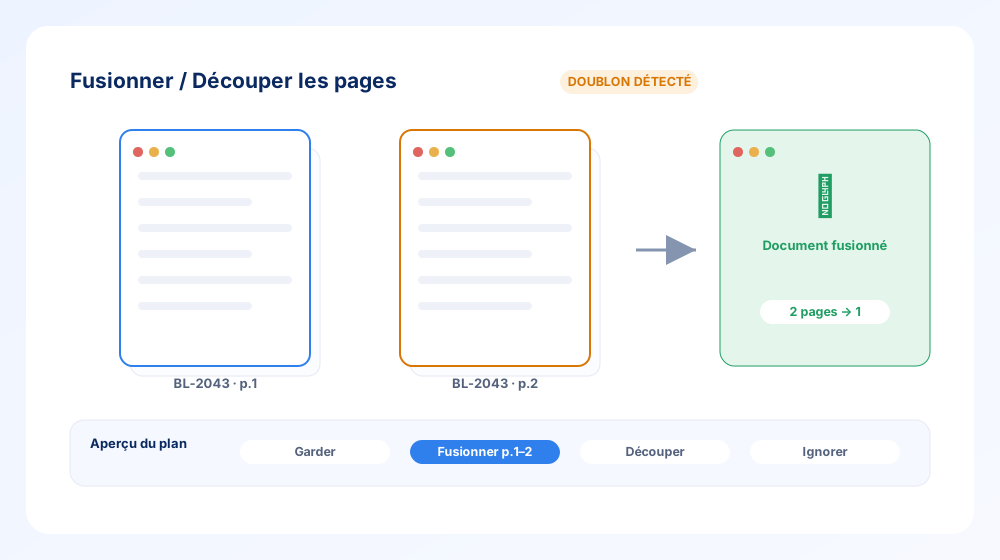
When the same document arrives scanned across several pages — or two documents get stitched into one — you can now repair it without leaving Eqolux.
- Merge / split mode on document duplicates, so multi-page scans become a single clean document.
- Plan preview with thumbnail zoom — see exactly what will be kept, merged or split before you commit.
- Part of the new Anomalies V2 workspaces, at both the invoice and line level (V1 has been retired).
Julia now produces exportable artefacts
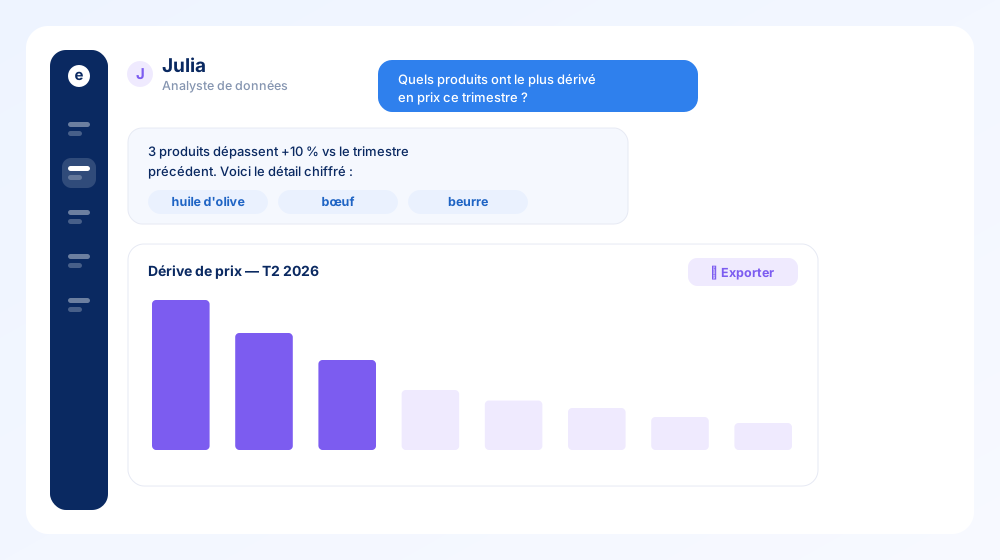
Julia, the built-in AI data analyst, becomes something you can actually hand around.
- Exportable artefacts — the charts and tables Julia builds from your data can be exported and reused.
- Message authorship — every message and comment now shows who (or what) wrote it, so a thread stays readable.
- Answers link straight to the underlying products, suppliers and documents.
Reports: multi-entity, custom periods & Excel export
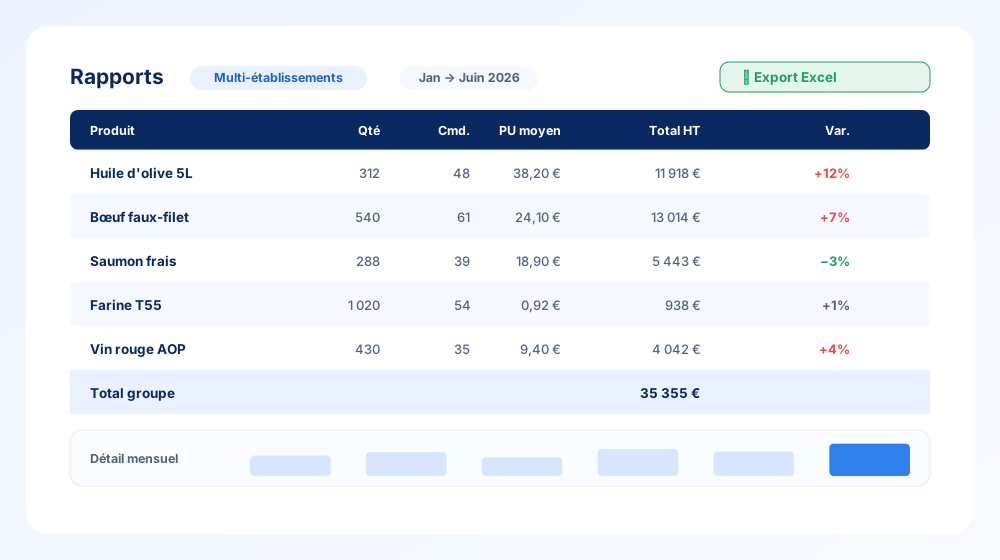
The Reports page grew up into a proper analysis tool.
- Multi-entity filter — combine several properties (or your whole group) in one report.
- Selectable period with monthly detail: quantity, number of orders and unit price, month by month.
- One-click Excel export of the full table.
- A dedicated app header (points of sale + global period) and a table options bar to shape the view.
Read delivery notes your way — and handle credit notes
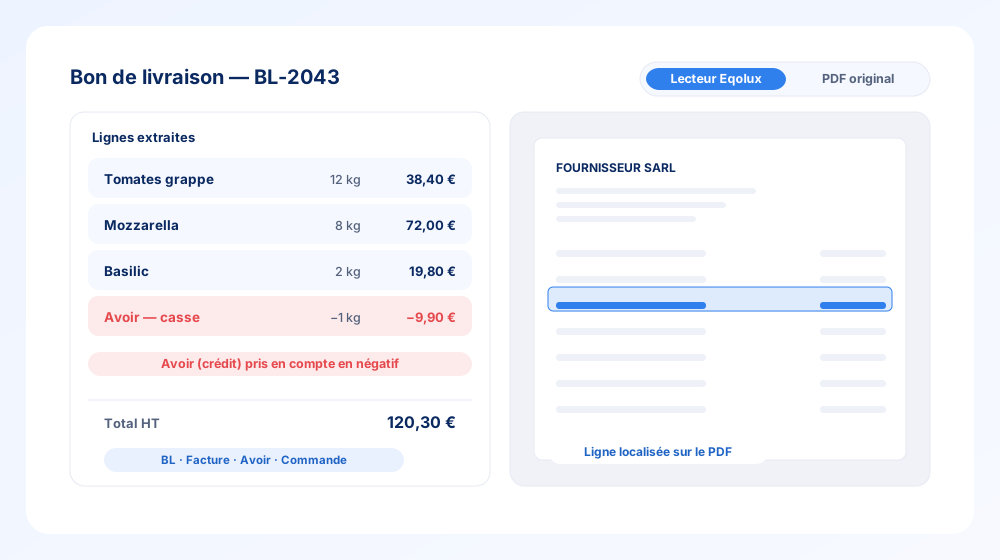
Delivery notes and invoices are now much easier to check against their source.
- Reader ↔ original PDF toggle — flip between Eqolux’s clean extraction and the raw document instantly.
- Locate & highlight a line on the PDF from the extracted data.
- Multi-number editing — BL, invoice, credit-note and order numbers stored as arrays, editable together.
- Credit notes (avoirs) now display in negative, so totals reflect reality.
A workshop to correct purchasing anomalies at scale
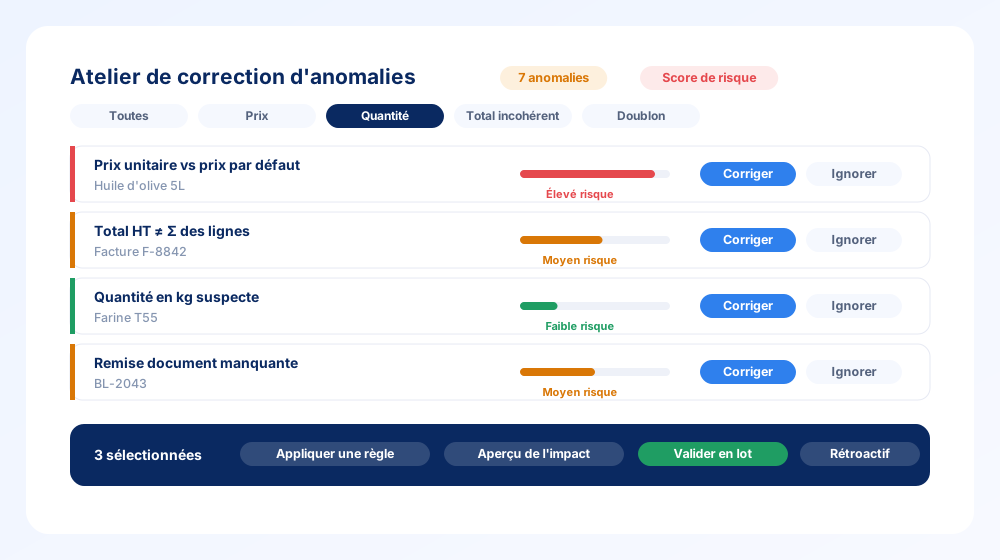
Anomaly review becomes a real workflow instead of a to-do list.
- Grouped actions — fix or dismiss dozens of anomalies at once.
- Risk score to triage what actually matters first.
- Rule-based detection: unit price vs default price, inconsistent totals, suspicious kg quantities, missing document discounts, and more.
- Impact preview before applying — and the option to apply a rule retroactively.
- URL-persisted filters so your view survives a refresh.
Comments, @mentions and notifications everywhere
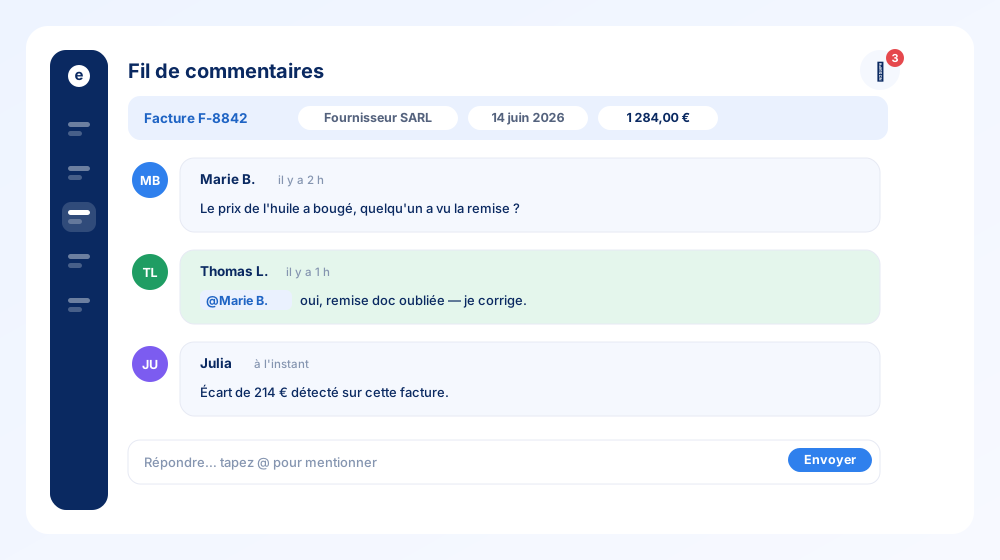
Purchasing decisions now have a place to happen — right next to the data.
- Universal comments on documents, products and suppliers, labelled with supplier, invoice date and amount for context.
- @mentions that trigger a localized email notification (via Postmark).
- A new sidebar with Home / Julia / Inbox tabs, gathering comment mentions and your Julia history in one place.
A refreshed, more consistent interface
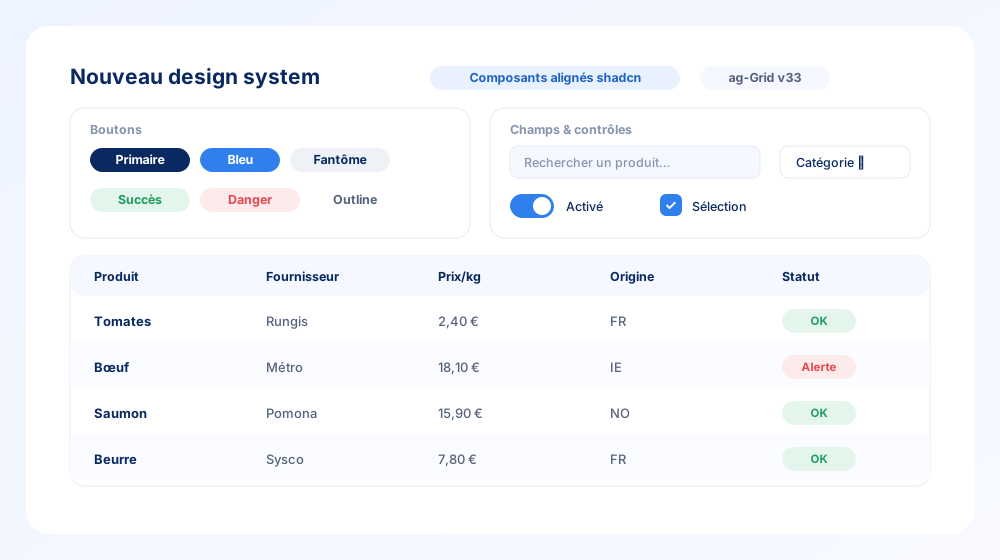
The whole app got a coherence pass.
- New UI primitives — buttons, inputs, toggles, menus and tokens, aligned to a modern component library.
- Redesigned data grids (ag-Grid v33 theming) — the tables you live in are crisper and quicker.
- A shared component gallery keeps every screen visually consistent.
Saved, named and shareable dashboards
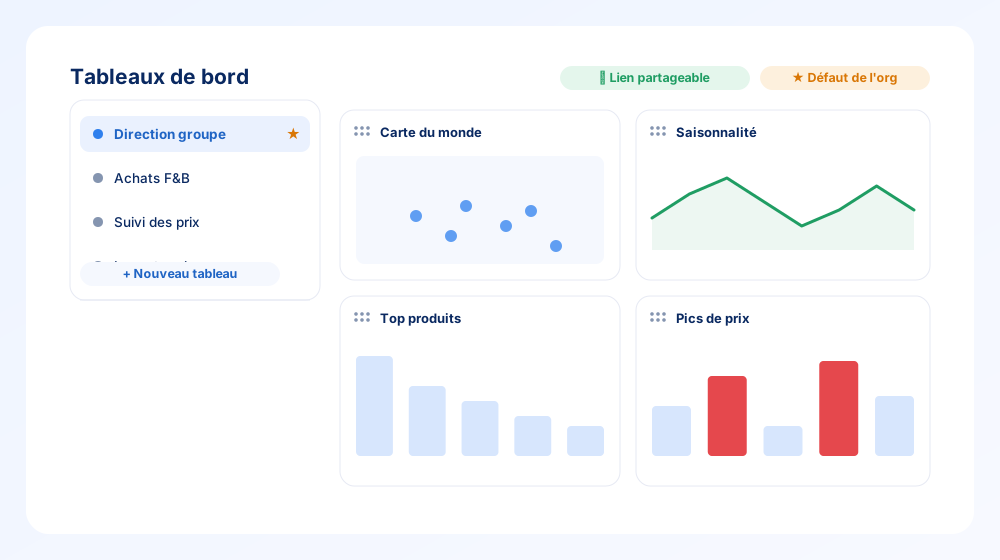
Dashboards are now yours to shape and share.
- Save & name as many dashboards as you like, and switch between them from the sidebar.
- Drag & drop, resize widgets on a customizable grid, with layouts remembered per scope.
- Shareable URL for any board, and an organisation default the owner can set.
- Layout auto-saves — the Save button is gone.
New dashboard widgets: origins map, seasonality & price spikes
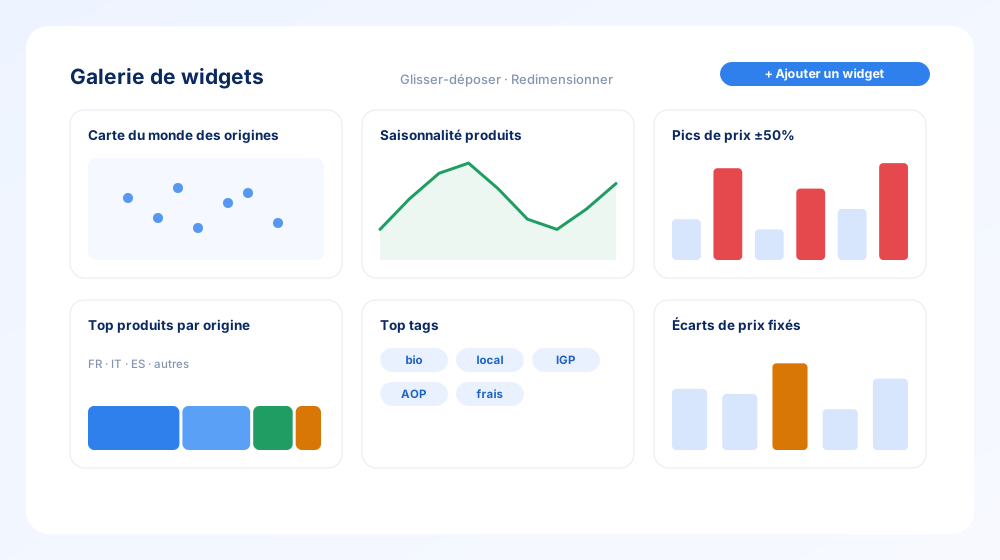
The add-widget gallery got a serious upgrade.
- World map of origins and top products by origin — see where your food actually comes from.
- Seasonality widget and a products seasonality column.
- Price spikes (period-independent, ±50% two-sided filter) and fixed-price gaps to catch drift fast.
- Top tags with clickable tags and product counts.
Supplier fixed prices, watched by a rules engine
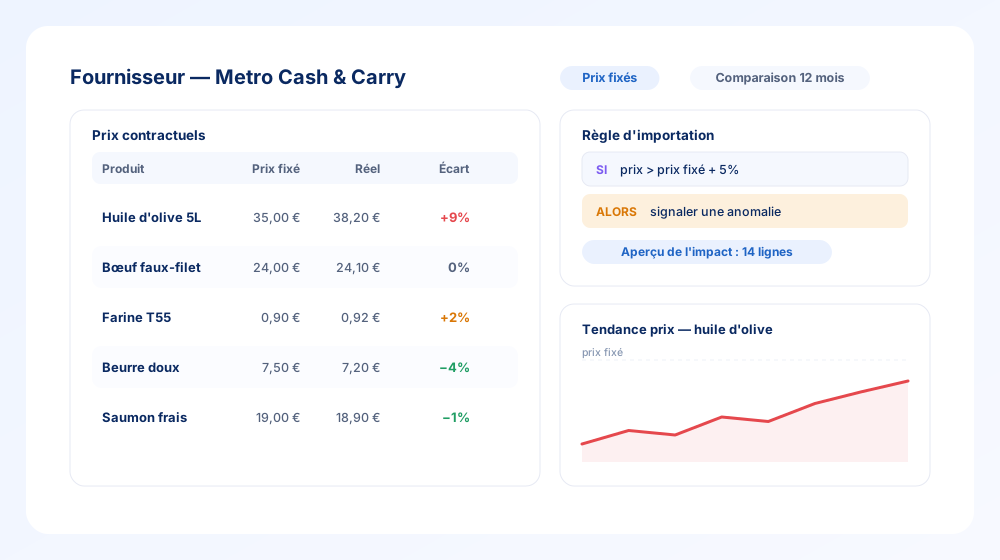
Negotiated a price? Hold your suppliers to it.
- Supplier fixed prices — enter them in the drawer, review and edit them inline on the supplier profile.
- A rules engine compares each imported line against the fixed price and raises an anomaly when it drifts.
- Impact preview at rule creation and create-and-apply retroactively across past documents.
- Comparison-period data added to the supplier drawer.
Automatic anomaly & duplicate detection on imports
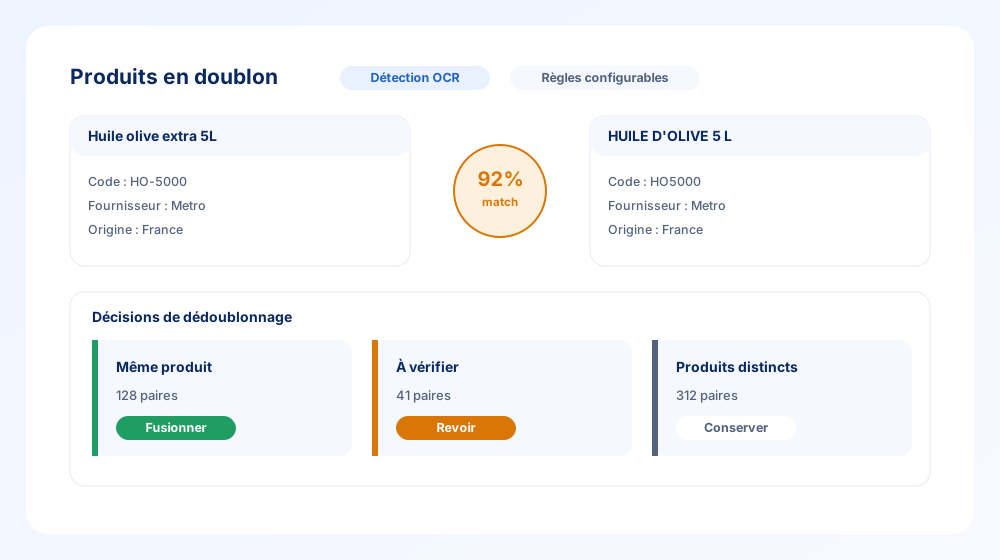
Messy supplier data gets cleaned up as it lands.
- Duplicate products review tab with a match score and merge decisions (same product / to review / distinct).
- Delivery-note duplicate detection with a merge mode.
- Configurable dedup rules and server-side decisions, so cleanup scales.
- A new Anomalies tab with rules, filters, grouping and side-effect previews.
A dedicated Impact section
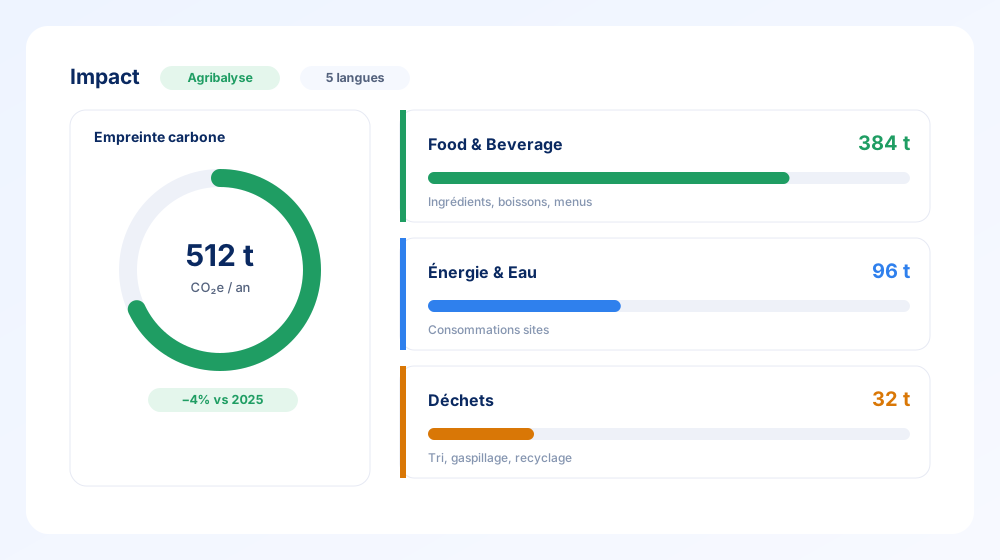
Sustainability now has its own home in Eqolux.
- New Impact menu with three sub-pages: Food & Beverage, Energy & Water and Waste.
- Carbon footprint estimated from your products via Agribalyse integration.
- Localized in 5 languages, with sample data so the story is clear from day one.
Choose your display currency
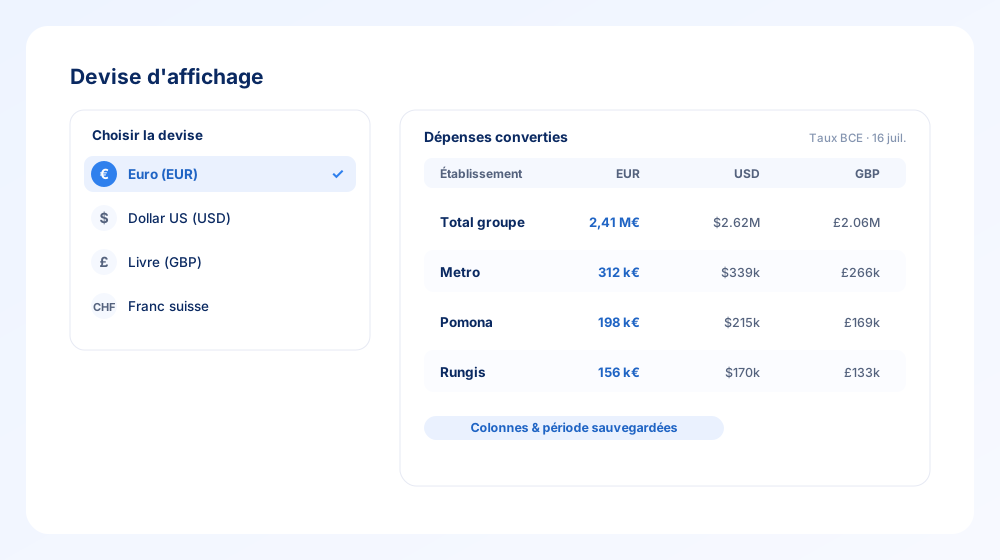
Purchasing across borders no longer means mental math.
- User-selectable display currency applied across dashboards, drawers and reports.
- Year-end rebates respect the chosen display currency too.
- Pairs with saved column layouts and auto-saved date ranges, so your working view stays put.
Create purchase orders & structured import rules
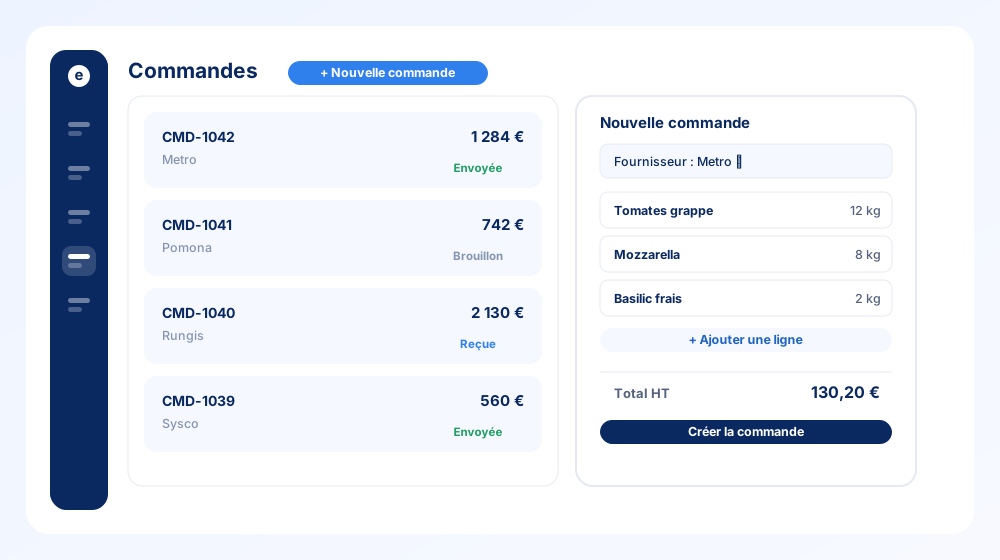
Two building blocks for a full purchasing loop.
- Orders page with a purchase-order creation drawer — pick a supplier, add lines, send.
- Structured importation rules with an AND/OR builder, so document parsing follows your logic.
- Rules tab on the Importations page with an editable drawer, localized end to end.